

What to do in that case:
- You need to grant permissions for the new administration system via Clickker. To do this, the form for the permits stating the administration number and name. We can grant these permissions on your behalf if we are able to access your Clickker via an external URL. If this is not the case, we may charge a one-off fee to contact your IT administrator to arrange temporary access for the purpose of making this change. If you purchased Clickker before 30 June 2026, this promotion is not required and you have access to all records or if you are authorised to grant permissions yourself!
- The domain user associated with Clickker should also be created as a user in the administration, preferably with the role "Administrator".
- You need to authorise within the administration the MAC address of the machine on which Clickker is installed.
To do so, right-click the Exact Globe shortcut on that PC/server and choose "Run as administrator". Then go to the menu path System - HR & Security - Workstations and click the "Add services" button. The button then changes to "Remove services" and the screen will remain blank if there was nothing on the screen. 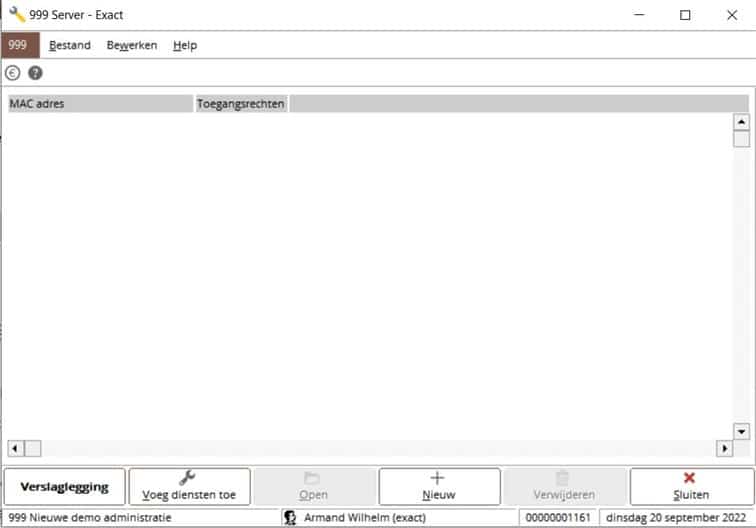
 English (UK)
  Nederlands
  Français
  Deutsch
  Español
  Polski