CAS - the Clickker Automation Suite - works as a low-code platform which allows you to exchange, edit and automate data between systems in a visual way. Here you can read in brief how it works:
🔧 1. Build your workflow in the Studio
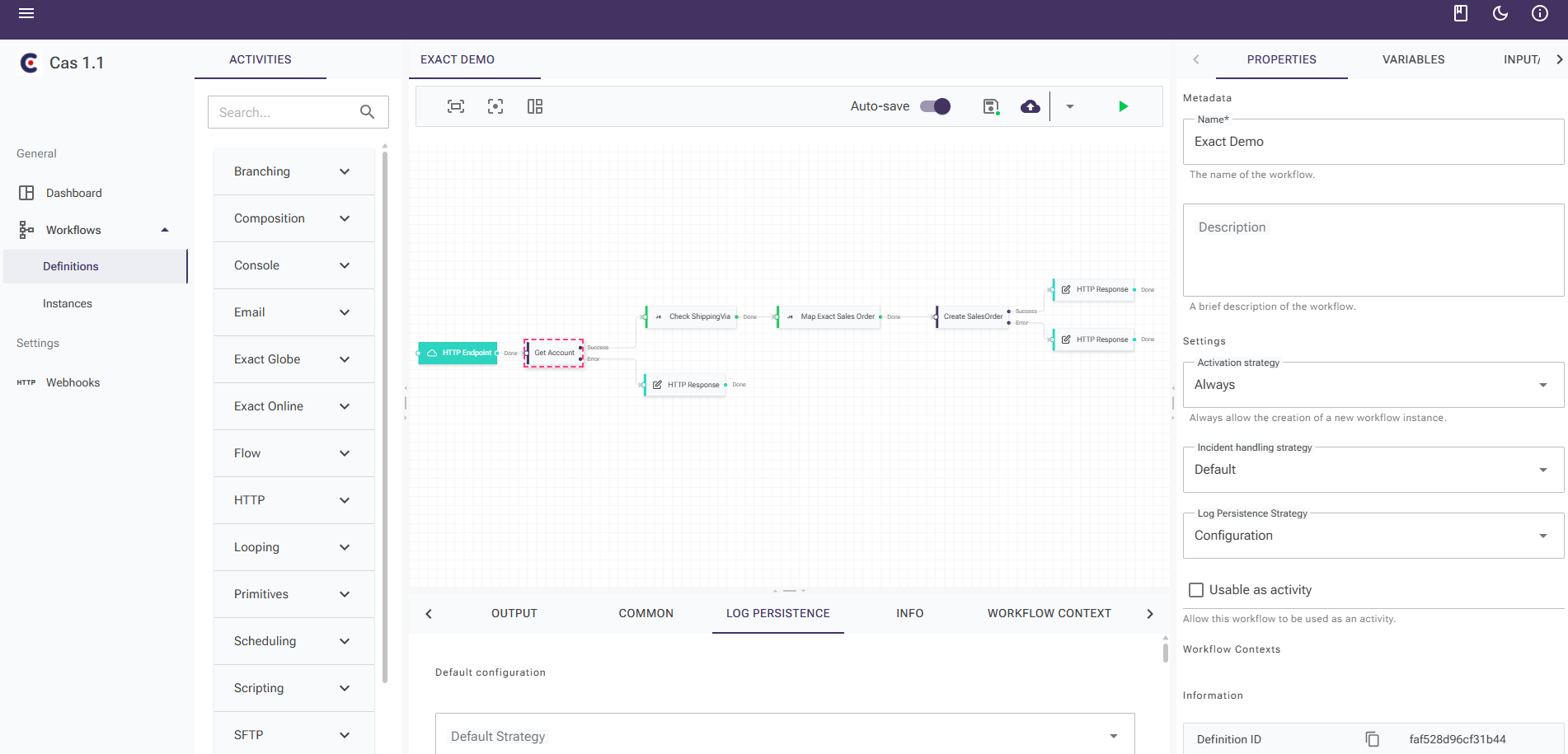
You start in CAS Studio, a graphics environment in which you work with drag-and-drop blocks building your flow. Think about:
A block that retrieves data via a API call (e.g. from Salesforce, Exact, WooCommerce)
A block that this data transforms (e.g. with a script or mapping)
A block that stores data in a SQL database
A block that is a file generates or send to a FTP server
👉 No code required for basic flows. For complex logic, you can optionally add small pieces of JavaScript or C#.
🌐 2. Link your data sources and systems
CAS is system-independent. You can create links with, among others:
You connect via: HTTP (API), Webhooks, SQL or file exchange.
🧠 3. Reuse and scale up
Each step or complete flow you can save as block and reuse it later. This way, you build a personal toolkit that you can use again and again for other customers or processes.
🧪 4. Test & log everything in real time
CAS contains extensive error handling and logging per step. You see immediately:
Which step was successful
Where it went wrong
What input/output data was used
Useful for troubleshooting as well as documentation.
☁️ 5. Run CAS locally or in the cloud
You can install CAS on your own server or use it via the Clickker Cloud. A lightweight variant is available for simple flows (such as API calls between cloud software).
Want to build a workflow like:
Automatically retrieve data from your webshop every morning
Editing and importing order lines in Exact
Generating confirmation e-mails based on a template
Synchronising customer data between CRM and accounting package
... then all that can be done within one CAS project, without additional tools.
🎯 In short: CAS lets you sending data smartly between systems, your way - visually, scalable and hassle-free.



































 English (UK)
  Nederlands
  Français
  Deutsch
  Español
  Polski