

You can figure these out as follows:
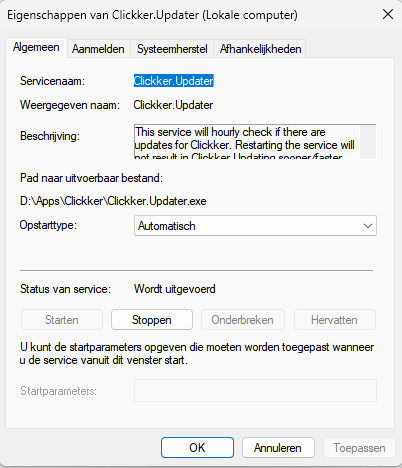
- On the server where Clickker is installed, go to services (services.msc)
- Right-click on the Clickker.Updater here
- Choose “Properties”
- Under “Path to output file” see the folder where the updates will be put down. In this example: d:appendixclickker“
- In this folder, see a file “serviceconfig.tsc”.
- Open it in windows notepad
- Now you can see which Build is installed!
- Through the release notes On our Clickker website, you can see what is now the latest version.
 English (UK)
  Nederlands
  Français
  Deutsch
  Español
  Polski